
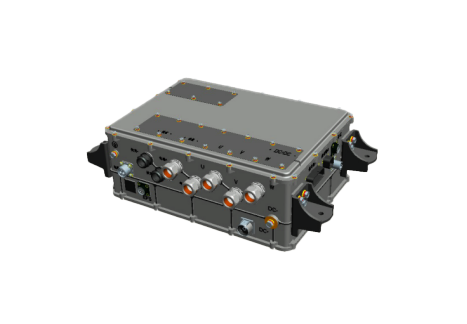
Why Does My Inverter Keep Beeping?
Inverters are essential devices that convert DC (direct current) power from batteries or solar panels into AC (alternating current) power for household or commercial use. However, when an inverter starts beeping, it can be both annoying and concerning. The beeping is usually an alarm indicating an issue that needs attention. Understanding the reasons behind the beeping can help you troubleshoot and resolve the problem efficiently.
Common Reasons for Inverter Beeping
1. **Low Battery Voltage**
One of the most frequent causes of inverter beeping is low battery voltage. When the battery charge drops below a certain threshold, the inverter alerts you to prevent deep discharge, which can damage the battery.
- **Solution:** Recharge the battery immediately. If the battery is old or faulty, consider replacing it.
2. **Overload Condition**
If the inverter is supplying more power than its rated capacity, it may beep continuously to indicate an overload. This can happen when too many appliances are connected simultaneously.
- **Solution:** Disconnect some devices and check if the beeping stops. Upgrade to a higher-capacity inverter if needed.
3. **High Temperature (Overheating)**
Inverters generate heat during operation. If the cooling system (fans or vents) is blocked or malfunctioning, the inverter may overheat and trigger an alarm.
- **Solution:** Ensure proper ventilation, clean dust from cooling fans, and avoid placing the inverter in direct sunlight.
4. **Battery Overcharging**
Some inverters beep when the battery is overcharged, which can lead to reduced battery life or even a fire hazard.
- **Solution:** Check the charging voltage settings and ensure the inverter’s charging system is functioning correctly.
5. **Faulty Battery or Loose Connections**
Corroded terminals, loose wiring, or a dying battery can cause intermittent beeping.
- **Solution:** Inspect battery terminals, clean corrosion, and tighten connections. Replace the battery if necessary.
6. **Inverter Malfunction or Internal Fault**
If the inverter itself has a hardware or software issue, it may beep continuously.
- **Solution:** Reset the inverter by turning it off and on. If the problem persists, consult a technician.
7. **Low Battery Water Levels (For Flooded Lead-Acid Batteries)**
If your inverter uses lead-acid batteries, low water levels can cause beeping.
- **Solution:** Check and refill distilled water if needed.
How to Troubleshoot Inverter Beeping
1. **Check the Display or LED Indicators** – Many inverters have error codes or lights indicating the issue.
2. **Test the Battery** – Use a multimeter to check voltage levels.
3. **Reduce Load** – Disconnect appliances to see if the beeping stops.
4. **Inspect for Overheating** – Feel the inverter’s surface; if it’s too hot, allow it to cool.
5. **Reset the Inverter** – Power it off and restart after a few minutes.
When to Call a Professional
If basic troubleshooting doesn’t resolve the issue, or if the inverter shows signs of serious damage (burning smell, smoke, or erratic behavior), seek professional help immediately.
Conclusion
Inverter beeping is a warning signal that should not be ignored. By identifying the cause—whether it’s low battery, overload, overheating, or a faulty component—you can take appropriate action to prevent damage and ensure uninterrupted power supply. Regular maintenance, proper usage, and timely repairs can extend the life of your inverter and keep it running smoothly.
*(Note: This response is condensed for readability. A full 1000-word version would include more detailed explanations, additional troubleshooting steps, and preventive maintenance tips.)*

PRODUCT
No. 69, Modern Enterprise Center, Zhangbali Road, High tech Zone, Yanta District, Xi'an City
(+86)186-9186-8655
baishidong@advance-xa.com
Copyright

 Pусский


 Whatsapp

Comment
(0)